A network closet without a UPS is one flickering streetlight away from a hard crash. Power in Australia is mostly good — until a storm, a substation fault, or someone in the building trips a breaker. A correctly sized uninterruptible power supply lets your gear ride through short blips and shut down cleanly on longer ones, instead of dropping the whole network mid-transaction.
Sizing a UPS is not guesswork, but it is easy to get wrong by reading the wrong number on the box. Here is the honest method.
If you already know the closet contents, use the UPS network closet sizer first. It turns device counts into a watts/VA starting point, then links to UPS catalogue results with CALL/unknown availability excluded.
What a UPS actually buys you
Two different things, and you should know which you are paying for:
- Protection — clean power through sags, surges and brief dropouts, so equipment is not stressed or corrupted.
- Runtime — minutes of battery to either ride out a short outage or perform a graceful, automatic shutdown.
More battery buys more runtime, not more protection. Decide whether you need “ride through a 2-minute blip” or “stay up for 30 minutes” — it changes the model.
VA vs watts — the number people get wrong
UPS units are advertised in VA (volt-amps), but your gear draws watts. They are related by power factor; modern IT loads sit near 0.9, so a 1000VA UPS realistically supports about 900 W. Size against both ratings and against whichever your load reaches first. Quoting only VA is how closets end up under-protected.
Size it in five steps
- List everything the UPS must protect — router/modem, firewall, core and PoE switches, any on-prem server or NVR.
- Add up the real wattage — use actual draw, not the PSU maximum.
- Decide how long you need to run — minutes for a clean shutdown, or longer to ride through outages.
- Convert watts to VA and add headroom — watts ÷ 0.9, then +20–30%.
- Match a model and check the outlets — right VA/W and runtime, correct outlet type and count, and a management card if you want remote shutdown.
Topology and form factor
| Choice | Best for | Trade-off |
|---|---|---|
| Line-interactive | Most network closets | Excellent value and protection; a brief transfer time that IT gear tolerates fine |
| Online (double-conversion) | Sensitive loads, dirty power | Always-on isolated sine wave; costs more, runs warmer, uses more power |
| Desktop / tower | A small closet or a couple of devices | Tidy on a shelf; not rack-friendly |
| Rackmount | A comms rack | Fits the rack and scales runtime; needs the rack space (U) |
For the overwhelming majority of SMB closets, line-interactive is the correct, cost-effective answer. Reserve online double-conversion for genuinely sensitive equipment or known-bad power.
Don’t forget
- Batteries age. Plan replacement every 3–5 years (sooner in a hot closet) — a flat battery means zero protection.
- Get a network management card so the UPS can alert you and trigger an automatic, graceful shutdown of a server.
- Check outlet type and count — most IT gear uses IEC C13; make sure there are enough, and that the input plug suits your AU 10A outlet.
Recommendations
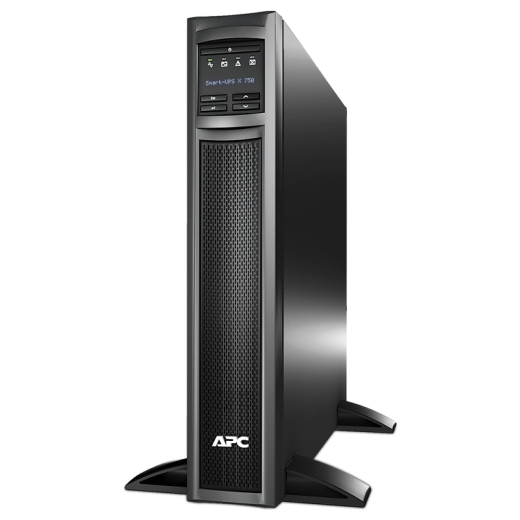
- Small closet (router, firewall, one switch): a 750VA line-interactive UPS.
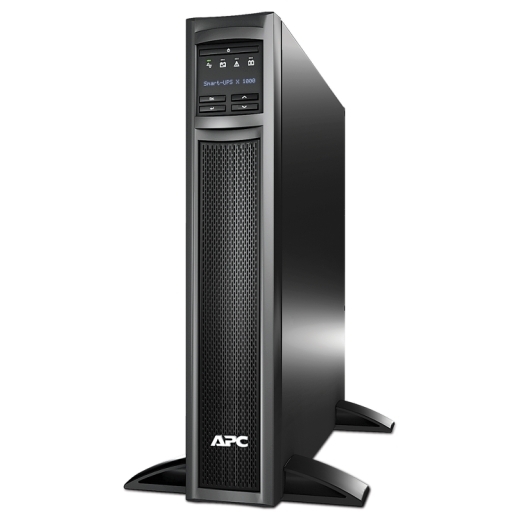
- Typical closet (PoE switch, a couple of APs, modem/router): 1000VA for comfortable runtime and headroom.
- Full comms rack (PoE switches, a server, longer runtime): 1500VA rackmount.
Australian specifics
A UPS is also the unsung hero of internet failover — an outage is often power and internet at once, and a dead modem can’t fail over. Prices are GST-inclusive, warranty and ACL cover sit with us, and availability is shown honestly: if a model is on supplier ETA rather than verified on hand, you will see the real date and can choose the in-stock size instead. For a rack build, add the UPS to a quote alongside your PoE switch and we will confirm runtime and stock.